
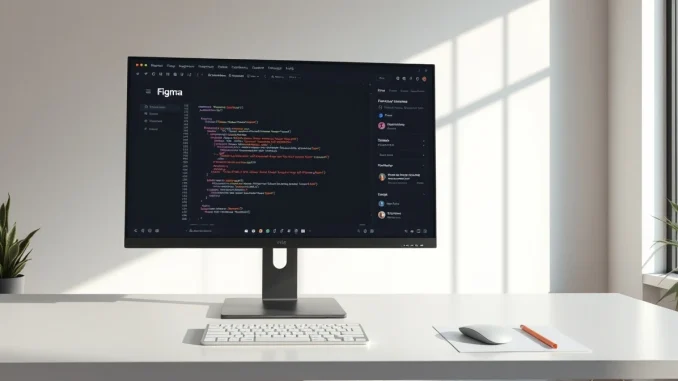
Figma on Wednesday rolled out a significant update that introduces native code layers, support for animations and shaders, and new AI-powered features for creating custom plugins. The update is the latest step in the design platform’s effort to bridge the gap between design and development workflows.
Code layers bring development into the design canvas
The new code layers feature allows teams to clone repositories and extract flows from code directly onto Figma’s collaborative canvas. This is designed to help designers, product managers, and engineers iterate on ideas more rapidly. Yuhki Yamashita, Figma’s chief product officer, explained that the multiplayer canvas is particularly useful because it lowers the barrier for experimentation. “If you’re rapidly exploring or need to kind of explore a bunch of new directions, you can do that in this spatial way,” Yamashita said. “We hope that this feature produces different behaviour not just with designers, but also with engineers and PMs.”
Also read: Anthropic’s Claude Tag Turns Slack Into an Always-On AI Teammate With Persistent Memory
This builds on Figma’s earlier efforts to integrate coding into its platform. Last year, the company unveiled Figma Make, an AI prompt-based prototyping tool, and has since launched integrations with Claude Code and Codex to improve the hand-off between design and development.
Native animation and shader support
Figma now supports animations, transitions, and 3D transforms natively. Previously, designers had to create animations in external software and then convert them to code that Figma could understand. With this update, animations can be built and tested directly within the design environment.
Also read: Fika Jobs raises $4M to build a video-first hiring platform where AI agents interview candidates
The update also adds support for shader effects and fills, which can be generated using AI. This gives designers more control over visual effects without needing specialized coding knowledge.
AI agents and custom plugin creation
Figma is expanding its AI assistant capabilities. Users can now write text prompts to create repeatable skills that AI agents can use. The assistant can also be connected to external tools like Notion, Granola, Excel, and GitHub, or users can attach files to provide more context for AI-driven tasks.
A notable addition is the ability to create custom plugins using natural language prompts. Users can generate plugins such as layout generators or vector path tracers without writing code. This lowers the barrier for non-developers to extend Figma’s functionality.
Weavy integration deepens
Figma acquired Weavy, a node-based tool for running workflows across different AI models, last year. The company is now working to integrate the two platforms more closely. In an update rolling out later this year, users will be able to generate Weavy workflows directly within Figma, streamlining the process of comparing outputs from different AI models.
Frequently Asked Questions
What are Figma’s new code layers?
Code layers are a new feature that allows users to clone repositories and extract flows from code directly onto the Figma canvas, enabling designers, product managers, and engineers to iterate on ideas without focusing on production-quality code.
Can I create animations in Figma now?
Yes, Figma now natively supports animations, transitions, and 3D transforms. Designers can integrate these directly into their projects instead of using external software.
How does AI work in this Figma update?
Users can write text prompts to create repeatable skills for AI agents, connect external tools like Notion and GitHub, and generate custom plugins such as layout generators or vector path tracers using AI.
What is Weavy and how does it integrate with Figma?
Weavy is a node-based tool Figma acquired last year that helps designers run workflows through different AI models. A later update this year will allow users to generate Weavy workflows directly within Figma.





Be the first to comment