
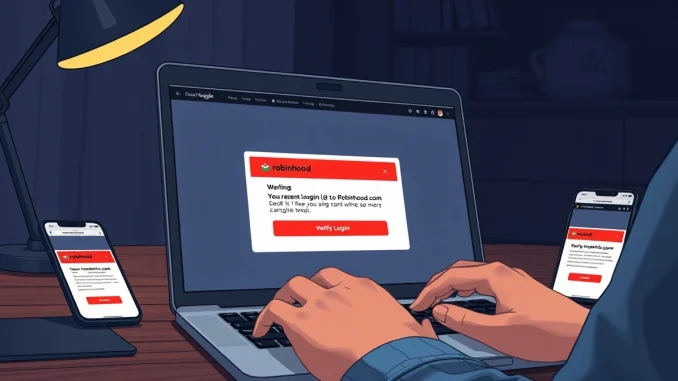
A new phishing scam is targeting Robinhood users. Scammers use a Gmail dot alias trick to spoof the trading platform. The attack exploits a native Gmail feature and flaws in Robinhood’s account creation process. Users on Sunday began reporting suspicious emails on social media. The emails appeared to come from Robinhood’s official mail server. They warned of an unrecognized device login. The emails contained a link to a phishing website.
How the Gmail Dot Alias Trick Works
The Gmail dot alias trick is at the center of this scam. Gmail ignores dots in the username part of an email address. For example, emails sent to ‘[email protected]’ and ‘[email protected]’ land in the same inbox. Scammers exploit this by creating fake Robinhood accounts. They use an email address that mimics their target’s but omits the dot.
Also read: Standard Chartered sees Bitcoin bottom; North Korea link in $36M hack; Iran deal may boost BTC
Alex Eckelberry, a cybersecurity researcher and tech CEO, explained the method. He said the scam is not a hack. It relies on a native Gmail characteristic and poor security design in Robinhood’s account setup. Eckelberry described these as a couple of terrible holes in the platform’s account creation flow.
The scammers first create a Robinhood account. They use an email like ‘[email protected]’ when the target uses ‘[email protected]’. Robinhood treats these as separate accounts. But Gmail delivers all related emails to the target’s inbox. This includes the automated welcome email from Robinhood.
Also read: Standard Chartered analyst says Bitcoin bottom is in, points to three confirming signals
To inject a phishing link, the scammers add HTML code to the optional device name field during account creation. Gmail interprets this HTML as formatting instructions. The result is a real email from ‘[email protected]’. It passes SPF, DKIM, and DMARC authentication. The email looks completely legitimate. It contains fake warning text and a working phishing button.
The Phishing Email and Its Dangers
The phishing email has a subject line: ‘Your recent login to Robinhood’. It warns of an unrecognized device login. The call-to-action button links to a fake login website. Visiting the fake site alone is not enough for hackers to gain access. But entering sensitive information like passwords can grant them entry.
Eckelberry stressed the danger. The email appears authentic because it comes from Robinhood’s own server. It passes all email security checks. Users who click the button and enter their credentials risk losing access to their accounts.
Robinhood’s support account on X posted a statement on Monday. The company confirmed that some users received the falsified email. It blamed the issue on an exploit of the account creation flow. Robinhood said it was not a breach of its systems or customer accounts. Personal information and funds were not impacted.
Robinhood’s Response and User Guidance
Robinhood advised users who received the email to delete it immediately. They should not click any suspicious links. If users clicked a link or have questions, they should contact Robinhood directly through the app or website. The company did not provide details on how it plans to fix the exploit.
Industry watchers note that this attack highlights a broader problem. Email authentication protocols like SPF, DKIM, and DMARC are not enough. They verify the sender’s domain but not the content of the email. Scammers can still inject malicious links into legitimate emails.
Phishing and Social Engineering Dominate Crypto Attacks
This attack comes at a time when phishing and social engineering are on the rise. Blockchain security company Hacken reported earlier this month that these methods dominated crypto attacks in the first quarter of 2026. They accounted for $306 million in losses.
The data from Hacken shows a worrying trend. Phishing attacks are becoming more sophisticated. They exploit trusted platforms and native features of widely used services. The Gmail dot alias trick is a prime example. It uses a legitimate feature to deceive users.
This suggests that traditional security measures are not enough. Users must be vigilant. They should verify the source of any email that asks for sensitive information. Even if the email appears to come from a trusted company.
How Users Can Protect Themselves
Users can take several steps to protect themselves from this phishing scam. First, they should never click on links in unsolicited emails. Instead, they should handle directly to the Robinhood website or app. Second, they should enable two-factor authentication on their accounts. This adds an extra layer of security.
Third, users should check the email address in the ‘From’ field. While the email appears to come from Robinhood, the reply-to address may be different. Fourth, they should report suspicious emails to Robinhood and their email provider.
For Gmail users, there is no easy way to disable the dot alias feature. It is a core part of the platform. But users can be aware of the trick. They should scrutinize any email that asks for personal information.
The Bigger Picture: Email Security Flaws
The Gmail dot alias trick exposes a fundamental flaw in email security. Email authentication protocols like SPF, DKIM, and DMARC are designed to verify the sender’s domain. But they do not verify the content of the email. This allows scammers to inject malicious links into legitimate emails.
What this means for investors is that they cannot rely solely on email security. They must use other methods to verify the authenticity of communications. This includes checking the sender’s address, looking for spelling errors, and contacting the company directly.
Robinhood’s response suggests that the company is aware of the issue. But it has not yet implemented a fix. Users should remain cautious until a permanent solution is in place.
Conclusion
The Gmail dot alias trick is a dangerous tool for scammers. It allows them to spoof Robinhood and other platforms. Users must be aware of this phishing scam and take steps to protect themselves. The attack highlights the need for better email security and user education. As phishing attacks become more sophisticated, vigilance is key.
FAQs
Q1: What is the Gmail dot alias trick?
Gmail ignores dots in the username part of an email address. This means ‘[email protected]’ and ‘[email protected]’ go to the same inbox. Scammers use this to create fake accounts that send emails to the target’s inbox.
Q2: How does the Robinhood phishing scam work?
Scammers create a Robinhood account with an email that mimics the target’s but omits the dot. They add HTML code to the device name field, which Gmail interprets as formatting. This injects a phishing link into the automated email from Robinhood.
Q3: Is the email dangerous if I don’t click the link?
No. Visiting the fake login website alone is not enough for hackers to gain access. But entering sensitive information like passwords can allow them to do so.
Q4: What should I do if I receive this email?
Delete it immediately. Do not click any links. If you clicked a link, contact Robinhood directly through the app or website. Enable two-factor authentication on your account.
Q5: Can I disable the Gmail dot alias feature?
No. It is a core feature of Gmail. But you can be aware of the trick and scrutinize any email that asks for personal information.






Be the first to comment